
How to Accept Bitcoin Payments for Your Small Business (2026 Guide)
The easiest way for a small business to start accepting Bitcoin in 2026 is with a custodial payment processor like Coinbase Commerce or OpenNode — both integrate with major e-commerce platforms and settle in USD or BTC with no technical setup. For businesses that want to avoid third-party custody and keep full control, BTCPay Server is the open-source standard.
Affiliate Disclosure: This article contains affiliate links to payment processors mentioned below. We may earn a referral fee if you sign up through our links. All services were independently reviewed.
Bitcoin adoption by merchants is accelerating. In 2026, accepting Bitcoin is no longer a technical curiosity — it’s a practical business decision that opens your checkout to a global audience of Bitcoin holders who actively seek out merchants that accept it. El Salvador’s adoption as legal tender, growing Lightning Network infrastructure, and mainstream wallet apps have made the on-ramp straightforward for customers. The setup burden now falls almost entirely on the merchant side — and it’s simpler than most business owners expect.
This guide walks through your real options in 2026, what each one costs, and how to choose the right setup for your business size and technical comfort level.
Why Accept Bitcoin in 2026?
| Benefit | Details |
|---|---|
| No chargebacks | Bitcoin and Lightning payments are final. Unlike credit cards, there are no chargeback disputes, reversals, or fraud losses. |
| Global reach | Anyone in any country with a Bitcoin wallet can pay you instantly — no international card fees, no bank account required on their end. |
| Lower fees | Lightning Network transactions cost fractions of a cent. Even custodial processors charge 0.5–1%, compared to card processors’ 1.5–3.5%. |
| New customers | Bitcoin holders actively search for merchants who accept BTC. Appearing in Bitcoin merchant directories provides free discovery. |
| Instant settlement | Via Lightning, you can settle in seconds rather than the 1–3 day bank transfer delay. |
Custodial vs Non-Custodial: Which Is Right for You?
The most important decision in setting up Bitcoin payments is whether to use a custodial or non-custodial solution.
- Custodial — a third party (like Coinbase) holds your Bitcoin and settles to your bank account or wallet on your behalf. Simpler to set up, but you trust the processor with your funds.
- Non-custodial — you receive Bitcoin directly into a wallet you control. No counterparty risk, but requires more technical setup.
For most small businesses accepting Bitcoin as an additional payment method, a custodial processor is the right starting point. Once your volume grows or you want to hold Bitcoin rather than convert it, you can migrate to a self-custody setup.
Best Bitcoin Payment Processors for Small Business 2026
| Processor | Fees | Custody | Lightning | Best For |
|---|---|---|---|---|
| Coinbase Commerce | 1% | Non-custodial | ❌ | Established brand, e-commerce |
| OpenNode | 1% | Custodial | ✅ | Lightning + on-chain, easy setup |
| BTCPay Server | Free (self-hosted) | Non-custodial | ✅ | Full control, no fees, developers |
| Strike | 0% | Custodial | ✅ | US businesses, instant USD settlement |
| Billtoolbox Lightning Server | Subscription | Managed non-custodial | ✅ | B2B invoice generation, API access |
1. OpenNode — Best All-Around for Small Businesses
OpenNode is a custodial Bitcoin payment processor that accepts both on-chain Bitcoin and Lightning Network payments. It offers plug-and-play integrations for WooCommerce, Shopify, and Wix, and lets you settle in BTC, EUR, USD, or GBP.
Setup time: Under 30 minutes for a WooCommerce store. The plugin installs in two clicks; you connect your API key and Lightning is live.
Fee: 1% per transaction. For Lightning payments, fees are typically fractions of a cent on the Lightning side. Settlement to your bank account is included.
2. BTCPay Server — Best for Full Control
BTCPay Server is free, open-source, and self-hosted. You run the software on your own server and funds go directly to your wallet — no third party, no fees beyond the network transaction fee.
Setup time: 2–4 hours if you’re comfortable with Linux and VPS setup. BTCPay now offers a one-click deploy on platforms like Voltage and LunaNode that reduces this to 30 minutes.
Fee: Free. You pay only Bitcoin network transaction fees, which on Lightning are negligible. Ideal for any business doing significant volume where 1% fees would add up.
3. Billtoolbox Lightning Server — Best for B2B Invoice Payments
For freelancers and B2B service businesses who want to generate Lightning invoices for client payments, Billtoolbox Lightning Server provides a managed Lightning node with a REST API for invoice creation.
You get the non-custodial benefits of running your own Lightning node (funds go straight to you) without the infrastructure management. The API generates a Lightning payment request your client scans with any Lightning wallet.
Ideal for: Software developers, consultants, and digital agencies who prefer to be paid in Bitcoin and want to avoid exchanges.
How to Add Bitcoin Checkout to Your Website (Step by Step)
For WooCommerce (WordPress):
- Install the OpenNode or BTCPay Server plugin from the WooCommerce plugin directory
- Create an account with your chosen processor and retrieve your API key
- Enter the API key in the plugin settings
- Enable “Bitcoin / Lightning” as a payment method in WooCommerce → Settings → Payments
- Test with a small transaction before going live
For Shopify: OpenNode has a Shopify payment app available directly from the Shopify App Store. Install, connect your account, and Bitcoin checkout is added automatically to your existing checkout flow.
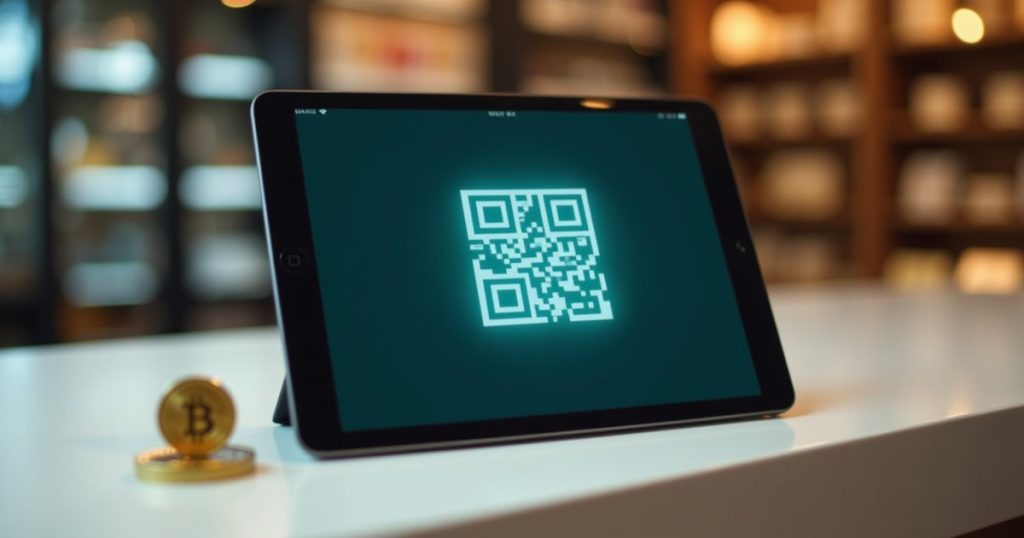
For service businesses without a checkout: Use a payment link generator. Create a Lightning invoice amount, share the QR code or payment URL with your client, and they pay from any Lightning wallet. Billtoolbox Lightning Server and Strike both support this for B2B use.
Tax and Accounting Considerations
In most countries, receiving Bitcoin as payment is a taxable event. The rules vary by jurisdiction:
- USA: Bitcoin received as payment is treated as income at the fair market value on the day received. If you later sell or convert the Bitcoin, capital gains or losses apply.
- UK: Bitcoin payments are subject to income tax (sole trader) or corporation tax (limited company) on the GBP value at receipt. HMRC treats crypto as an asset, not currency.
- Australia: ATO treats Bitcoin as an asset. Receiving Bitcoin for goods/services is ordinary income; any subsequent conversion may trigger CGT.
- Canada: CRA treats crypto as a commodity. Business income rules apply to Bitcoin received as payment.
To simplify accounting: convert Bitcoin receipts to your local currency immediately using your processor’s auto-convert feature (available on OpenNode and Strike). This eliminates price volatility risk and creates a clean paper trail at the point of sale.
Frequently Asked Questions
Do I need to hold Bitcoin to accept Bitcoin payments?
No. Most custodial processors (OpenNode, Strike) will automatically convert Bitcoin received to USD, GBP, or EUR at the point of sale and deposit local currency to your bank account. From your perspective, it looks identical to a card payment — you never hold crypto unless you specifically choose to.
What happens if Bitcoin’s price drops after a customer pays?
If you use auto-convert at point of sale, the price drop doesn’t affect you — you received fiat immediately. If you choose to hold Bitcoin, your revenue in local currency terms will fluctuate with the Bitcoin price. Most businesses new to Bitcoin use auto-convert until they’re comfortable with the volatility and have a clear reason to hold.
Is accepting Bitcoin legal in the UK, USA, Canada, and Australia?
Yes — accepting Bitcoin as payment is legal in all four countries. Tax treatment differs (as outlined above), and you must comply with local anti-money-laundering regulations if you operate above certain transaction thresholds. For a typical small business accepting Bitcoin as one of several payment methods, there are no specific regulatory hurdles beyond standard business registration and tax reporting.
Final Thoughts
The practical barrier to accepting Bitcoin payments in 2026 is lower than most business owners assume. A WooCommerce store can have a working Bitcoin and Lightning checkout in under an hour using OpenNode. A service business can generate Lightning payment requests for clients the same day using Strike or Billtoolbox.
Start with auto-convert to fiat, measure whether it generates new business, and expand into self-custody once you understand your volume. The infrastructure is ready — the question now is whether your customers are asking for it.
Accept Bitcoin Lightning Payments — No Server Required
Billtoolbox Lightning Server gives your business a managed Lightning node and API for instant invoice generation.
Disclaimer: Cryptocurrency regulations vary by country and may change. This article is for educational purposes only and does not constitute financial, legal, or tax advice. Consult a qualified professional for advice specific to your situation.